The integration
What the Creative Force integration is
Creative Force is where production teams run product content at scale — assigning work, tracking styles through the pipeline, reviewing, and distributing finished assets. The Dreem connector adds AI generation as a native step in that pipeline. You drop a Dreem step into your Creative Force workflow automation; when a task reaches it, Creative Force sends the product images plus the brief — style guide, photography positions, and instructions — straight to a new Dreem session.
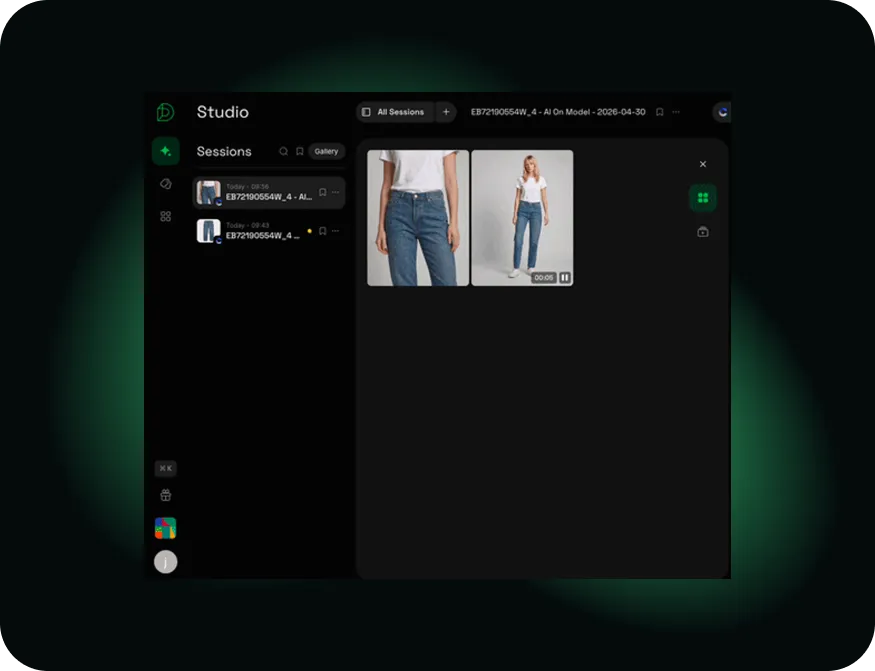
You generate in Dreem Studio — Virtual Model, Product Shots, Image to Video, or Content Kits — and on submission the assets flow back into Creative Force. Your team reviews them there: approve to move forward, or reject them back to the Dreem session to regenerate. The pipeline, the briefs, and the approvals all stay in Creative Force; Dreem just handles the generation step.
Who it's for
Brands, retailers, and studios already running high-volume apparel content through Creative Force, who want to add AI generation without bolting on a disconnected tool or breaking the chain of review and approval their operation depends on.
What it's good at — and what to know
Strong today
- A real two-way connector — brief and images out, finished assets back in
- Generate Virtual Model, Product Shots, video, or Content Kits without leaving the workflow
- QC stays in Creative Force — approve, or reject straight back to Dreem to regenerate
Good to know
- Requires Creative Force Workflow Engine V2 and admin access on both sides to connect
- One Creative Force workspace links to one Dreem workspace; the Style Guide needs at least a Front and a Back shot
- Generation runs on your Dreem credits — a built-in Try It mode lets you test before going live
Good to know
Frequently asked questions
What is the Dreem and Creative Force integration?
It's a two-way connection between Creative Force — where production teams manage product-content workflows at scale — and Dreem's AI generation engine. Work flows from Creative Force to Dreem to be generated, and finished images flow back into Creative Force as managed assets.
How does the two-way connector work?
When a Creative Force task reaches the Dreem step in Workflow Engine V2, Creative Force sends the product images plus the brief — style guide, photography positions, and instructions — to a new Dreem session. You generate in Dreem Studio (Virtual Model, Product Shots, Image to Video, or Content Kits), and on submission the assets return to Creative Force.
Who is the integration for?
Brands, retailers, and studios already running high-volume product content through Creative Force who want AI generation to be a native step in that pipeline rather than a separate tool.
Do generated images still get reviewed?
Yes. You can configure QC so Creative Force shows both the input and the AI-generated outputs; your team approves assets to continue, or rejects them back to the Dreem session to regenerate. Nothing goes forward without review.
How do I set it up?
Four steps: register Dreem as an app in Creative Force (Studio Settings, Registered Apps), create a Dreem API key, create the connection in Dreem (Settings, Connections, Creative Force), and enable the connector in Creative Force. You'll need admin access on both sides and Workflow Engine V2. The
connector guide has the full walkthrough.
Can I try it before connecting?
Yes. Creative Force has a Try It tester mode (Studio Settings, Connectors, Dreem, Try It) that doesn't require a Dreem account. Production use needs an active Dreem account, since generation runs on your Dreem credits.